Free Standing Network Cabinet: The Complete Buyer’s Guide (2026)
What Is a Network Cabinet?
A network cabinet is an enclosure built to house, organize, and protect IT and networking equipment — servers, switches, routers, patch panels, and power equipment — in one secure, standardized space. Every network cabinet is built around the 19-inch rack mount standard, so equipment from different manufacturers can be installed in the same enclosure using standardized rack units (U).
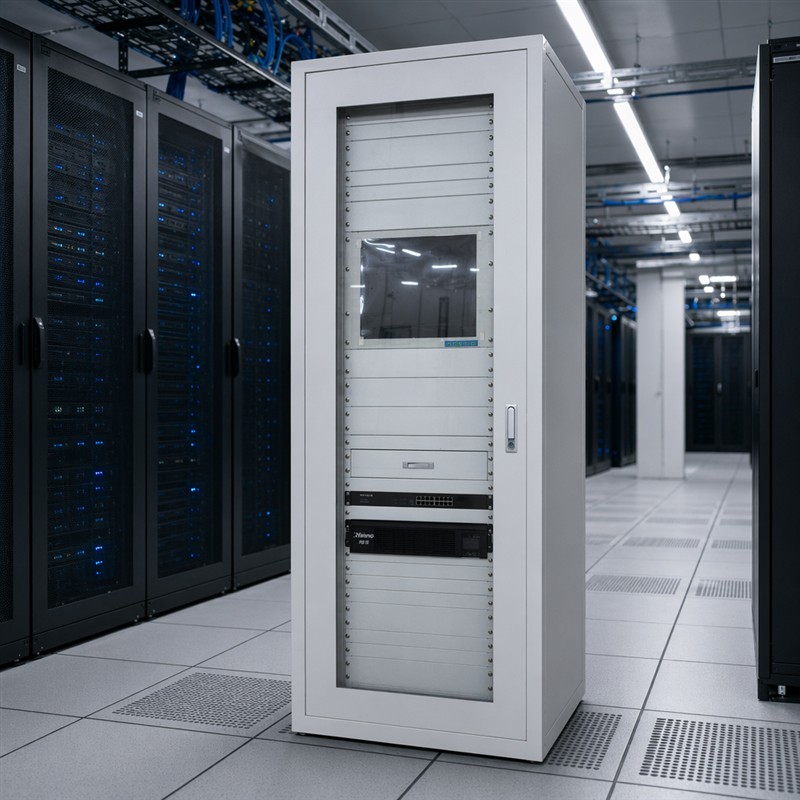
Network cabinets generally fall into two categories:
- Free standing network cabinets — floor-mounted, taller, and deeper, built for data centers, server rooms, and any deployment with a large amount of equipment.
- Wall mount server racks — smaller, wall-anchored enclosures built for space-constrained rooms, branch offices, and network closets.
Choosing between them comes down to how much equipment you need to house today, how much room you have to grow, and the physical space available for installation. This guide covers both, along with the role a server rack UPS plays in either setup.
Free Standing Network Cabinet vs. Computer Network Cabinet: What’s the Difference?
“Computer network cabinet” is often used as a general umbrella term covering any enclosure that houses networking or computing hardware — servers, switches, storage arrays, and the cabling and power equipment that supports them. A free standing network cabinet is simply the largest, most capable type of computer network cabinet: a floor-standing unit designed for heavier loads, deeper equipment, and higher rack unit counts.
In practice, when people search for a “computer network cabinet,” they’re usually comparing:
- Free standing cabinets for server rooms and data centers
- Wall mount server racks for smaller installations
- Open frame racks for equipment that doesn’t need enclosed security or airflow containment
If your deployment includes multiple servers, a UPS, patch panels, and room for expansion, a free standing cabinet is almost always the better long-term investment over a smaller computer network cabinet format.
What Is a Free Standing Network Cabinet?
A free standing network cabinet is a floor-mounted enclosure designed to house, organize, and protect IT equipment such as servers, switches, patch panels, and power distribution units. Unlike wall-mounted cabinets, free standing models sit directly on the floor — typically on a solid base or casters — and offer significantly more internal space, making them the go-to choice for data centers, server rooms, and enterprise network infrastructure.
These cabinets come in standardized widths (19-inch rack mount) and a range of heights measured in rack units (U), commonly from 22U to 47U, with larger models reaching 52U or beyond. Depths typically range from 600 mm to 1200 mm, providing ample room for deep servers, cable management, and airflow.
Wall Mount Server Rack: When It Makes More Sense
A wall mount server rack is a compact enclosure that attaches directly to a wall rather than sitting on the floor. It trades capacity for footprint, making it a common choice where floor space is limited or a full free standing cabinet would be oversized for the equipment on hand.
Wall Mount Server Rack Advantages
- Space efficiency: No floor footprint, ideal for small offices, retail back rooms, and network closets
- Lower cost: Smaller steel construction generally costs less than a full-height free standing cabinet
- Easier installation in tight rooms: No need to account for aisle clearance or floor loading in the same way
Wall Mount Server Rack Limitations
- Lower capacity: Typically 6U to 18U, enough for a switch, a small patch panel, and a compact UPS — not for multiple servers
- Lower weight ratings: Wall anchoring limits how much equipment (and battery weight) the rack can safely support
- Limited airflow depth: Shallower depths can restrict which server rack UPS models will physically fit
Choosing Between a Wall Mount Server Rack and a Free Standing Cabinet
| Factor | Wall Mount Server Rack | Free Standing Network Cabinet |
|---|---|---|
| Floor space required | None | Yes |
| Typical capacity | 6U–18U | 22U–52U+ |
| Load capacity | Lower (wall-anchored) | Higher (800–1500 kg static loads) |
| Best for | Small offices, network closets, branch sites | Server rooms, data centers, enterprise IT |
| UPS compatibility | Compact 1U/2U units only | 1U to multi-U extended-run units |
| Growth headroom | Limited | Significant |
If you expect to add more equipment over the next 2–3 years, or if you’re planning to install a higher-capacity server rack UPS with extended battery packs, a free standing cabinet gives you the room to grow. If you’re outfitting a single closet with a switch and a small UPS, a wall mount server rack is usually the more practical and economical choice.
Key Features to Look For in a Free Standing Network Cabinet
Load Capacity
A robust free standing cabinet must support the combined weight of all installed equipment. Quality models offer static load ratings of 800 kg to 1500 kg, ensuring they can handle fully populated server configurations without structural compromise.
Ventilation & Cooling
Proper airflow is critical. Look for:
- Perforated front and rear doors (typically 70%+ open area)
- Built-in fan trays or fan mounting positions (top-mounted exhaust)
- Cable entry slots with brush strips at the roof and floor
- Compatibility with rack-mounted cooling solutions
Cable Management
Integrated cable management features — vertical and horizontal finger ducts, cable rings, and roof-mounted entry points — keep installations tidy, improve airflow, and simplify maintenance.
Accessibility & Security
- Removable side panels for multi-cabinet row configurations
- Lockable front and rear doors with tempered glass or solid metal options
- Adjustable 19-inch mounting rails with numbered U-positions
- Split rear doors on deeper models to reduce door swing clearance
Modularity & Expansion
Premium cabinets support tool-less rail adjustment, accessory mounting without drilling, and bayed configurations where multiple cabinets are joined side-by-side to form rows — essential for growing data centers.
Server Rack UPS Integration
One of the most critical components housed in any network cabinet — free standing or wall mount — is the server rack UPS (Uninterruptible Power Supply). A server rack UPS provides battery backup and power conditioning for all equipment inside the cabinet, protecting against power outages, voltage fluctuations, surges, and frequency instability.
Why a Server Rack UPS Matters in Your Cabinet
| Concern | Without UPS | With Server Rack UPS |
|---|---|---|
| Power outage | Instant server shutdown, data loss | Graceful shutdown or continuous operation |
| Voltage sag / surge | Hardware damage over time | Clean, regulated output |
| Brownout conditions | Equipment instability, reboots | Automatic voltage regulation (AVR) |
| Harmonic distortion | Reduced PSU lifespan | Filtered, stable sine wave output |
Installation Considerations
When integrating a server rack UPS into a free standing cabinet or wall mount server rack:
- Weight distribution: UPS units with batteries are heavy — position them at the bottom of the rack (or as low as the mounting rails allow in a wall mount unit) for stability and ease of maintenance.
- Ventilation spacing: Leave adequate clearance above and below the UPS for heat dissipation.
- Cable routing: Run power input from the UPS to a dedicated circuit, and output to a rack-mount PDU (Power Distribution Unit) for distribution to other equipment.
- Depth matching: Ensure the cabinet’s mounting depth accommodates the UPS chassis, particularly for extended-run models with additional battery packs. This is especially important in wall mount server racks, where shallow depths can rule out larger UPS units.
Modern server rack UPS solutions come in 1U, 2U, or 3U rack-mount form factors, with capacities from 500 VA for small network closets to 10,000 VA for enterprise server cabinets. Lithium-ion models are increasingly popular for their longer service life, faster recharge times, and reduced weight compared to traditional lead-acid units.
Common Applications
| Industry | Use Case |
|---|---|
| Data Centers | Row-based server deployment, hot/cold aisle containment |
| Enterprise IT Rooms | Core switching, storage arrays, virtualization hosts |
| Telecommunications | Fiber distribution, base station equipment |
| Industrial Automation | PLC racks, SCADA systems, plant-floor networking |
| Security & Surveillance | NVR storage, video management servers |
| SMB Networks | Unified small-office server + networking consolidation (often via a wall mount server rack) |
Choosing the Right Network Cabinet
Step 1: Inventory Your Equipment
List all devices — servers, switches, UPS units, PDUs, patch panels — and calculate total rack units (U) and weight.
Step 2: Decide Free Standing vs. Wall Mount
If your inventory exceeds roughly 15–18U, includes multiple servers, or needs a larger server rack UPS with extended battery packs, plan for a free standing cabinet. Smaller, single-switch-and-UPS deployments are usually better served by a wall mount server rack.
Step 3: Plan for Growth
Add 30–50% spare U-space for future expansion. Under-sizing a cabinet is the most common and costly mistake — and one of the main reasons IT teams outgrow a wall mount server rack within a year or two.
Step 4: Assess Environmental Conditions
- Hot environments → prioritize ventilation, consider active cooling
- Dusty or industrial settings → select IP-rated sealed cabinets with filtered fans
- Noise-sensitive areas → look for acoustic-lined enclosures
Step 5: Consider Deployment Logistics
- Door width and hallway clearance for delivery
- Floor loading capacity of the installation site (free standing cabinets) or wall/stud load rating (wall mount racks)
- Whether casters or leveling feet are needed
- Access requirements for side and rear panels
Step 6: Evaluate Accessories
Common add-ons that enhance functionality:
- Rack-mount shelves and sliding rails
- Blanking panels (improve airflow by preventing hot air recirculation)
- Environmental monitoring sensors (temperature, humidity, door contact)
- LED rack lighting kits
- Cable management arms and horizontal organizers
Maintenance Best Practices
- Quarterly inspection: Check all mounting hardware, door hinges, and locks for wear.
- Filter cleaning: Wash or replace fan filters every 3–6 months depending on environment.
- Cable audit: Remove abandoned cables; they obstruct airflow and complicate troubleshooting.
- Grounding verification: Ensure the cabinet and all equipment are properly bonded to the building ground system.
- UPS battery testing: Perform runtime calibration and battery health checks at least annually on your server rack UPS.
Conclusion
A network cabinet — whether a full free standing enclosure or a compact wall mount server rack — is more than just a metal box: it’s the physical foundation of your IT infrastructure. Choosing the right cabinet means balancing current equipment needs, future growth, thermal management, and physical security. When paired with a properly sized server rack UPS, it becomes a complete, resilient deployment platform that safeguards your critical systems against power disturbances and environmental risks.
Whether you’re outfitting a single network closet with a wall mount server rack or scaling a multi-row data center with free standing cabinets, investing in the right enclosure — with thoughtful UPS integration — pays dividends in reliability, serviceability, and equipment longevity.
